Skip to content

 Support is Here — Easier Than Ever 

You now have a new way to connect with our support team. Whether you need help signing in, managing your account, or troubleshooting. We're here for you.

How to Get Started via your app

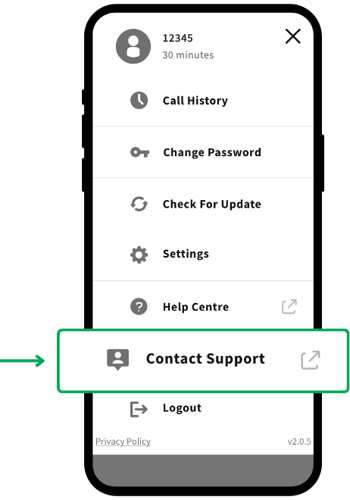
Step 1: Select the menu icon in the top right corner.
Step 2: Select Contact Support.
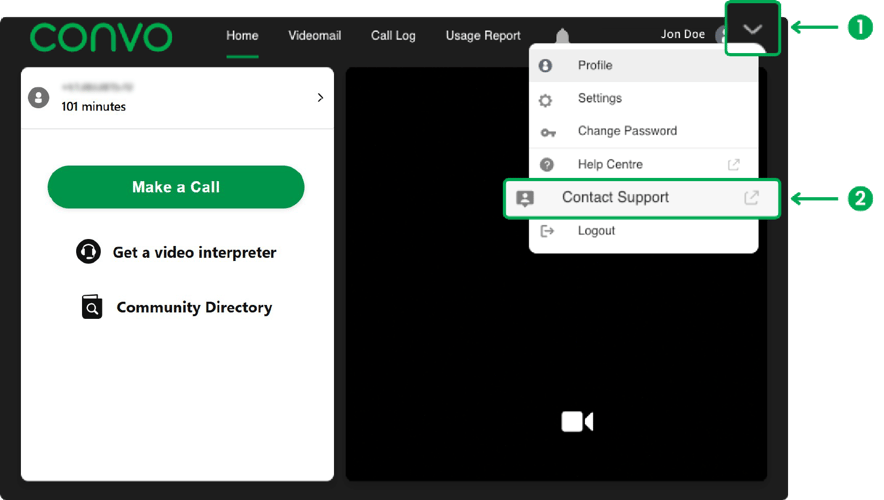
AU CN Web App_Step1and2_v1

Step 3: Choose how you'd like to connect:

  • Video for face-to-face assistance

  • Chat for real-time messaging

  • Message to leave a note and get a reply later
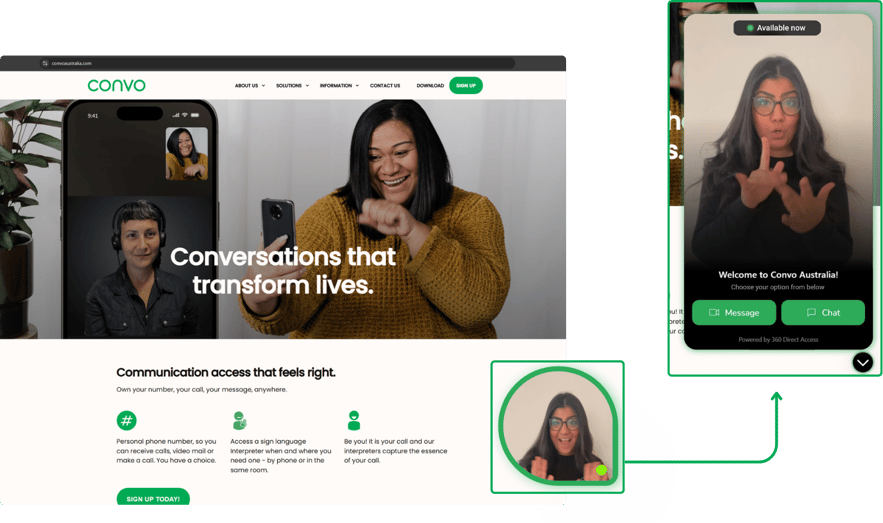
AU Web DVC360_v1


 After you log into your app: 
 Step 1:
Open the menu in the top right corner. 
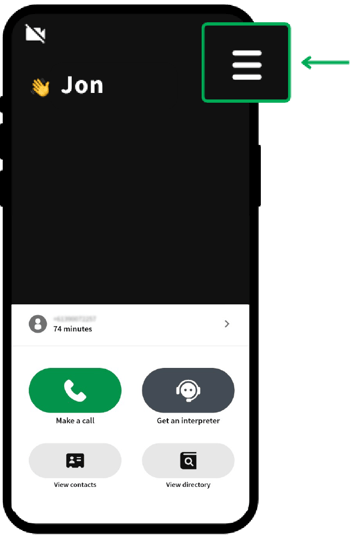
AU CN Mobile App_Step1_v1

Step 2:  Open Contact Support, or visit the Help Center/Centre for quick answers.  

AU CN Mobile App_Step2_v1

Step 3:  Open the chat icon in the bottom right corner. Whether it’s a video call, a chat, or sending a message — your choice.  
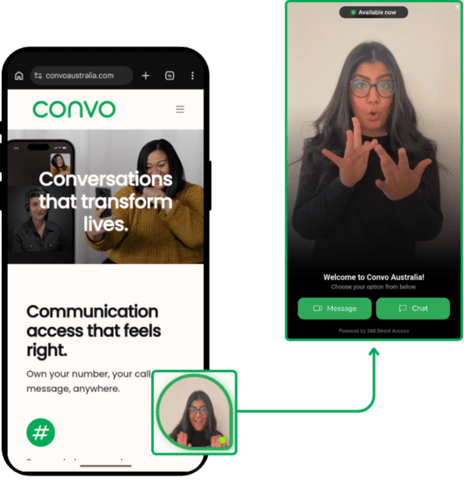
AU CN Mobile Web DVC360_Step3_v1-1


Same trusted team, ready to help whenever you need it.

TRY OUT NOW

The Help Centre is your go-to for quick answers. You'll find tips on:

- Signing in
- Account management
- Troubleshooting

It's fast, reliable, and helps you solve issues without waiting.

We'd Love Your Feedback,
Tell us what you think. It only takes a minute.

- Was it easy to find what you needed?
- Did you like being able to connect via video, chat, or message?
- Any ideas to make it even better?

We read every comment and use your feedback to improve support for everyone.

Share your thoughts here.